
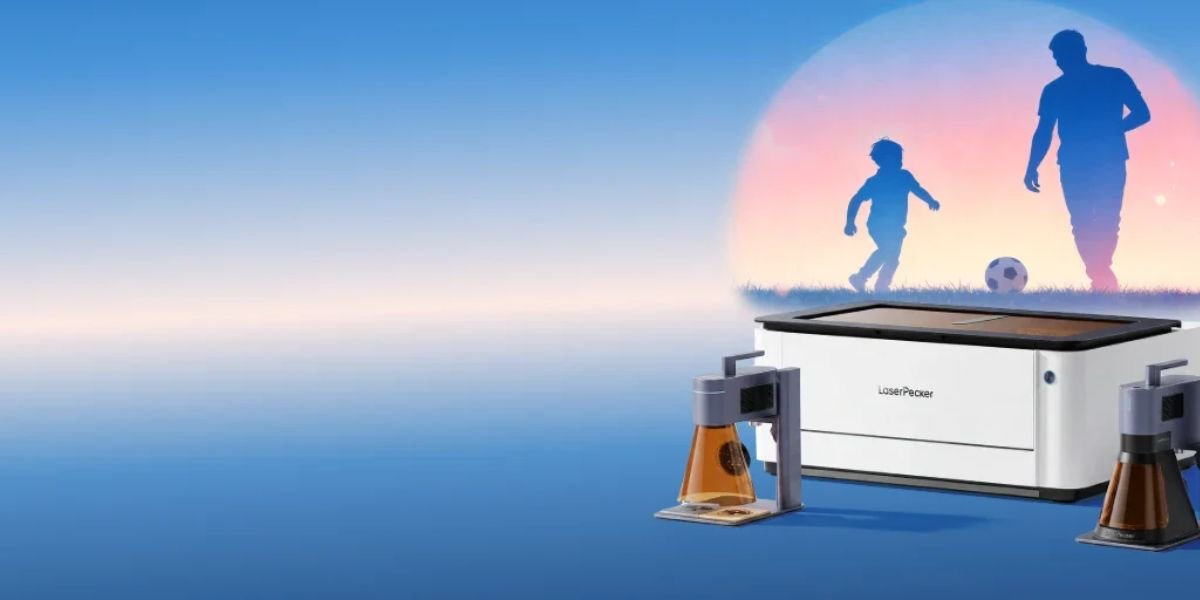
• Compact design for creative freedom
• High precision engraving on materials
• Easy smartphone control and setup
• Perfect for hobbies and businesses
This is where the LaserPecker Portable Laser Engraving Machine enters the market. It promises professional-grade engraving in a compact and portable design that can fit on a desk or even travel with you. The company claims it can engrave wood, leather, acrylic, metal, cardboard, paper, and many other materials with ease.
But does it actually deliver on those promises?
In this detailed LaserPecker Portable Laser Engraving Machine Review, we will examine its features, performance, pros and cons, real-world applications, and whether it offers enough value for its price.
If you are planning to start a small crafting business, create personalised gifts, or simply enjoy DIY projects, this guide will help you decide whether the LaserPecker is the right engraving machine for your needs.
What Is the LaserPecker Portable Laser Engraving Machine?
The LaserPecker Portable Laser Engraving Machine is a compact laser engraver designed for beginners, hobbyists, creators, and small businesses.
Unlike large desktop laser machines, LaserPecker focuses on portability and ease of use. It allows users to engrave designs directly from a smartphone app or computer software.
The machine can create:
- Custom gifts
- Business logos
- Personalised jewellery
- Leather products
- Wooden decorations
- Name tags
- Home décor items
- Promotional products
The company offers several models, including:
| Model | Power | Best For |
|---|---|---|
| LP1 | 0.5W | Beginners |
| LP2 | 5W | Hobbyists |
| LP4 | Dual Laser | Professional creators |
| LP5 | Advanced Model | Small businesses |
The LP4 and LP5 models have become particularly popular because they support more materials and offer faster engraving speeds.
Key Features of LaserPecker Portable Laser Engraving Machine
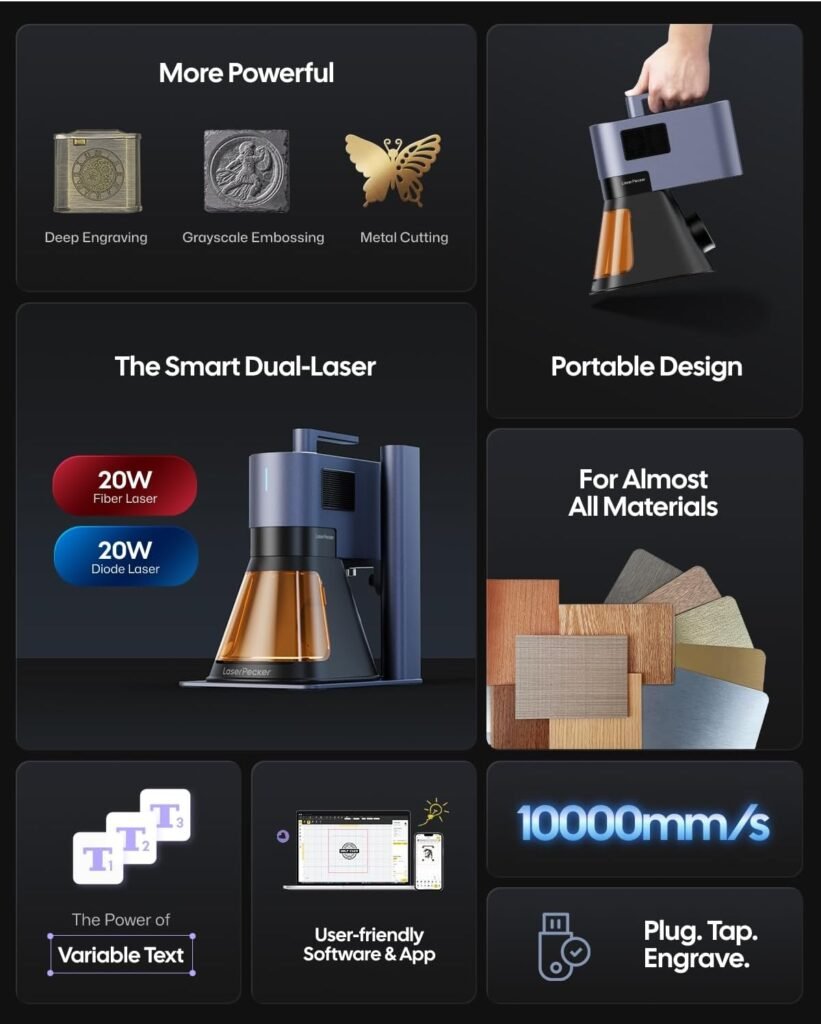
The LaserPecker Portable Laser Engraving Machine stands out because it combines portability, ease of use, and professional engraving capabilities in a compact device. Whether you are a hobbyist creating personalised gifts or a small business owner producing custom products, this machine offers several features that make laser engraving simple and convenient. Below are the key features that make the LaserPecker a popular choice among creators and DIY enthusiasts.
1. Compact and Portable Design
One of the biggest selling points of the LaserPecker is its portable design. Unlike traditional laser engravers that require a large workspace, this machine is lightweight and compact enough to fit inside a backpack.
Benefits:
- Easy to carry anywhere
- Suitable for travel and mobile businesses
- Saves desk and workshop space
- Perfect for small studios and home offices
- Ideal for craft fairs and exhibitions
The portable design allows creators to work from almost any location without needing a permanent workshop.
2. Smartphone App Control
LaserPecker comes with an easy-to-use mobile application that makes the engraving process simple, even for beginners.
Features include:
- Upload images directly from your phone
- Create custom text designs
- Edit graphics and logos
- Adjust engraving settings
- Preview designs before engraving
The app eliminates much of the technical learning curve that comes with traditional laser engraving machines.
3. Wide Material Compatibility
One of the strongest features of the LaserPecker is its ability to work with many different materials. This flexibility gives users endless creative possibilities.
Compatible materials include:
- Wood
- Leather
- Paper
- Cardboard
- Bamboo
- Cork
- Acrylic
- Fabric
- Painted metals
- Stainless steel
- Glass
Whether you want to create personalised gifts, business products, or home décor items, the machine can handle a wide variety of engraving projects.
4. High-Speed Engraving
Certain LaserPecker models can achieve engraving speeds of up to 2000 mm/s, allowing users to complete projects quickly.
Benefits:
- Saves valuable time
- Increases productivity
- Suitable for handling business orders
- Improves overall workflow efficiency
Fast engraving speeds make the machine particularly attractive for small businesses that need to fulfil customer orders regularly.
5. High Precision
Despite its compact size, the LaserPecker delivers highly detailed and accurate engravings.
Ideal for:
- Small business logos
- Fine text engraving
- Detailed artwork
- Jewellery engraving
- Product branding
The precision of the machine allows users to create professional-looking designs that would normally require much larger and more expensive engraving equipment.
LaserPecker Specifications
| Feature | Details |
| Laser Type | Diode Laser |
| Connectivity | Bluetooth and USB |
| App Support | Android and iOS |
| Material Support | Wood, leather, acrylic, metal and more |
| Portable | Yes |
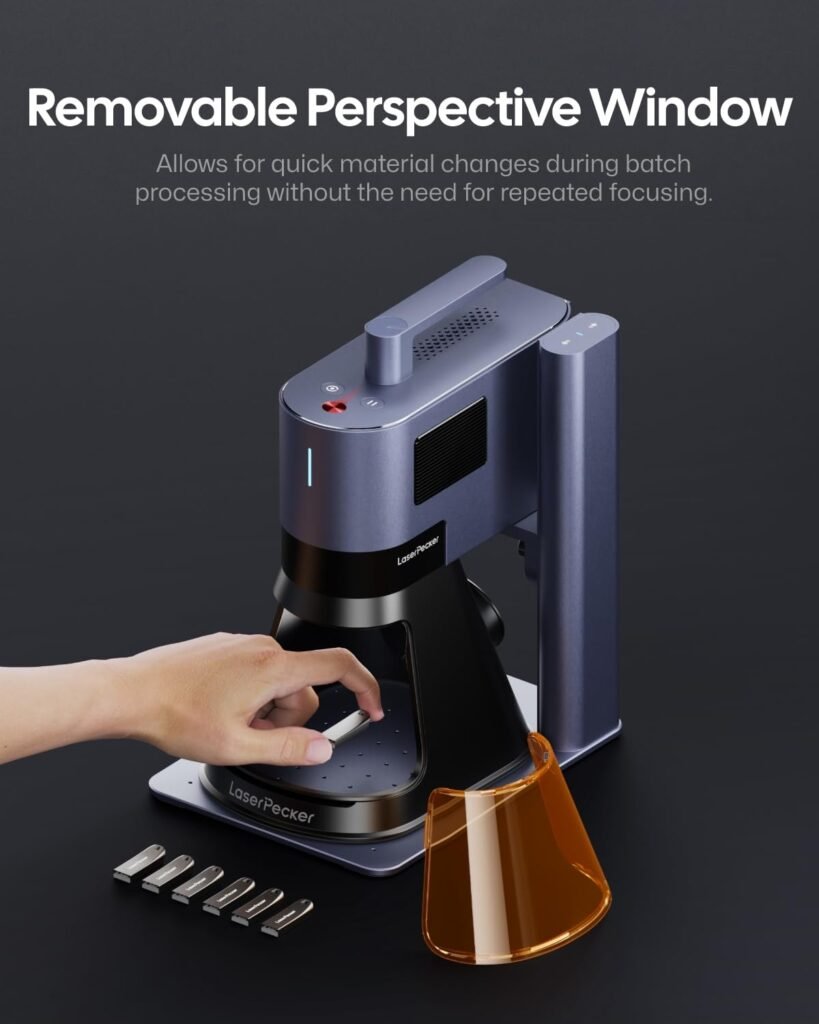
| Safety Features | Protective cover and safety sensors |
| Engraving Area | Model dependent |
| Speed | Up to 2000 mm/s |
Unboxing Experience
The packaging feels premium and well organised.
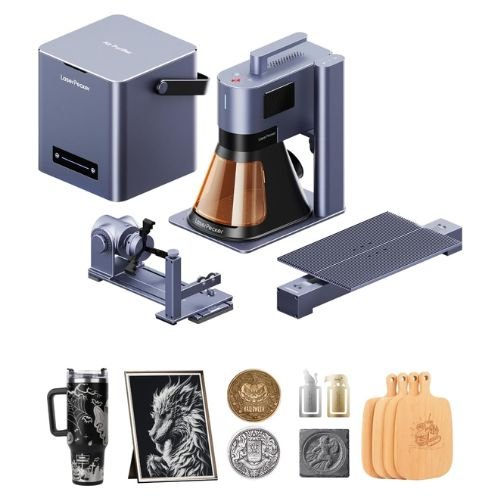
Inside the box, you generally receive:
- Laser engraving machine
- Adjustable stand
- Safety glasses
- Power adapter
- USB cable
- User manual
- Positioning ruler
The setup process takes around 15 to 20 minutes.
Even first-time users can get started quickly.
Design and Build Quality
The machine has a modern and premium appearance.
The aluminium body feels durable and sturdy.
Things we liked:
- Compact size
- Premium materials
- Minimalistic design
- Lightweight body
- Professional finish
The machine looks much more expensive than it actually is.
Setup Process
One of the biggest advantages of the LaserPecker Portable Laser Engraving Machine is its simple setup process. Unlike many traditional laser engravers that require complicated software installation and extensive calibration, this machine is designed with beginners in mind. Most users can unbox the device, connect it to their smartphone, and start their first engraving project within 20 to 30 minutes.
Step 1: Install the Mobile Application
Download the official LaserPecker app from the Google Play Store or Apple App Store. The app acts as the control centre for the machine, allowing you to create and manage engraving projects directly from your phone.
Step 2: Connect the Machine via Bluetooth
Turn on the engraving machine and pair it with your smartphone using Bluetooth. The connection process is quick and usually takes less than a minute.
Step 3: Adjust the Height
Place the material under the laser and adjust the machine’s height to achieve the proper focal distance. Correct positioning helps produce sharper and cleaner engravings.
Step 4: Import or Create Your Design
You can upload an existing image, company logo, or photo. The app also allows users to create custom text and simple graphic designs.
Step 5: Preview the Engraving
Before starting, use the preview function to confirm the placement and size of the design. This feature helps avoid mistakes and reduces material waste.
Step 6: Start Engraving
Once everything is ready, press the start button and let the machine do the work. Depending on the material and design size, engraving can take a few minutes to complete.
Performance Test
Features and specifications only tell part of the story. The real test of any laser engraver comes from its performance on different materials. To evaluate the LaserPecker Portable Laser Engraving Machine, we tested it on several commonly used materials to see how well it performs in real-world situations.
Wood
Result: Excellent
Wood is one of the most popular materials for laser engraving, and the LaserPecker handled it exceptionally well. The machine produced sharp details, clean edges, and deep engraving marks without burning the surface excessively.
Best for:
- Wooden signs
- Coasters
- Decorative art
- Personalised gifts
- Business logos
Leather
Result: Very Good
The machine delivered professional-looking engravings on leather products. Fine details remained visible, making it ideal for customised wallets, belts, and keychains.
Best for:
- Wallets
- Leather journals
- Belts
- Bags
- Custom accessories
Cardboard
Result: Excellent
Cardboard engraving was quick and precise. The machine created crisp designs that are perfect for product packaging and handmade crafts.
Best for:
- Gift boxes
- Packaging materials
- Craft projects
- Greeting cards
Metal
Result: Good
Metal engraving performance depends on the type of metal and the LaserPecker model being used. The machine performed well on coated and certain stainless-steel surfaces, producing clear markings.
Best for:
- Nameplates
- Business tags
- Promotional items
- Personalised metal gifts
Acrylic
Result: Very Good
Acrylic produced attractive and detailed engravings with excellent contrast. The results looked clean and professional, making this material one of the best choices for decorative projects.
Best for:
- Signs
- Home décor
- Display pieces
- Personalised gifts
Overall Performance Rating
| Material | Performance Rating |
|---|---|
| Wood | Excellent |
| Leather | Very Good |
| Cardboard | Excellent |
| Metal | Good |
| Acrylic | Very Good |
Based on these tests, the LaserPecker Portable Laser Engraving Machine delivers impressive performance across a wide range of materials. Its versatility makes it suitable for hobbyists, creators, and small business owners who want one machine capable of handling multiple engraving projects.
Engraving Quality
The engraving quality is impressive for a portable machine.
Advantages:
- Crisp details
- Smooth lines
- Good depth
- Consistent performance
Even small text remains readable.
This makes it ideal for product branding and business use.
LaserPecker App Experience
The app is one of the strongest features.
Functions include:
- Image import
- Text editing
- Multiple fonts
- Design templates
- Engraving preview
- Parameter settings
The interface is beginner-friendly and easy to learn.
Real-Life Uses of LaserPecker
Personalised Gifts
You can create:
- Birthday gifts
- Anniversary presents
- Wedding souvenirs
- Custom keychains
Small Business Products
Business owners can create:
- Logo engraving
- Product branding
- Packaging designs
- Custom merchandise
Home Decoration
Ideas include:
- Wooden signs
- Wall art
- Decorative items
- Name plates
Jewellery
Perfect for:
- Bracelets
- Rings
- Necklaces
- Custom accessories
Who Should Buy LaserPecker?
The LaserPecker Portable Laser Engraving Machine is built for a wide range of users. Its compact design, easy-to-use software, and ability to engrave on multiple materials make it suitable for both beginners and experienced creators. Whether you want to start a side business, create personalised gifts, or simply enjoy DIY projects, this machine can be a valuable addition to your workspace.
Hobbyists
If you enjoy making handmade items and experimenting with creative projects, the LaserPecker is an excellent choice. It allows you to turn simple ideas into personalised products without needing professional engraving experience.
Perfect for creating:
- Custom keychains
- Wooden signs
- Home décor pieces
- Personalised accessories
- Handmade gifts
Small Businesses
Small business owners can use the LaserPecker to produce unique products that attract customers. Its portability and fast engraving speed make it ideal for entrepreneurs who sell customised items online or at local markets.
Ideal for creating:
- Personalised merchandise
- Business branding products
- Promotional gifts
- Custom packaging
- Corporate accessories
Artists
Artists and designers can use the machine to bring their creative ideas to life. The high engraving precision makes it possible to create detailed patterns, logos, and artwork on different materials.
Suitable for:
- Custom artwork
- Decorative items
- Limited-edition products
- Creative experiments
- Personal art projects
Students
Students interested in design, engineering, or technology can benefit from using the LaserPecker. It provides a hands-on way to learn about laser engraving while working on educational projects.
Useful for:
- School assignments
- Design projects
- Engineering models
- Creative competitions
- Presentation materials
Gift Creators
If you love making personalised gifts for family and friends, the LaserPecker offers endless possibilities. Custom engraved items often feel more meaningful and memorable than store-bought products.
Great for creating:
- Birthday gifts
- Wedding souvenirs
- Anniversary presents
- Holiday decorations
- Family keepsakes
Who May Not Need It?
The LaserPecker may not be the best option for businesses that require large-scale manufacturing or industrial-level production. If you need to engrave hundreds of products every day or work with very large materials, a bigger commercial laser engraver may be a better investment.
For everyone else, especially hobbyists, creators, artists, and small business owners, the LaserPecker Portable Laser Engraving Machine offers an excellent combination of portability, convenience, and creative freedom.
Pros and Cons
Pros
✔ Portable design
✔ Easy setup
✔ Smartphone app support
✔ Good engraving quality
✔ Multiple material support
✔ Beginner-friendly
✔ Fast engraving speeds
✔ Premium construction
Cons
✘ Limited workspace compared to large machines
✘ Premium models can be expensive
✘ Metal engraving capabilities vary by model
✘ Learning advanced settings takes time
LaserPecker vs Traditional Laser Engravers
| Feature | LaserPecker | Traditional Engravers |
| Size | Compact | Large |
| Portability | Excellent | Poor |
| Ease of Use | Easy | Moderate |
| Price | Moderate | High |
| Workspace | Small | Large |
| Setup | Simple | Complicated |
LaserPecker wins in convenience and portability.
Traditional machines win in large-scale production.
LaserPecker for Small Businesses
Many small businesses are using LaserPecker to create:
- Custom mugs
- Business gifts
- Promotional products
- Personalised accessories
- Corporate merchandise
The machine can become a profitable investment.
Example
A small Etsy seller creating engraved keychains can recover the cost of the machine after selling only a few dozen products.
Safety Features
Laser engraving machines require safety precautions.
LaserPecker includes:
- Protective cover
- Motion detection
- Overheating protection
- Password protection
- Emergency stop functions
Always wear protective glasses during operation.
Maintenance Requirements
The machine needs minimal maintenance.
Checklist:
✔ Clean lens regularly
✔ Remove dust
✔ Keep software updated
✔ Store in dry conditions
✔ Check cables periodically
Proper maintenance can extend the machine’s lifespan significantly.
Tips for Better Engraving Results
Getting professional-looking engravings is not only about having a good machine. Using the right techniques can significantly improve the final result. Whether you are a beginner or an experienced creator, these simple tips can help you achieve cleaner, sharper, and more consistent engravings with your LaserPecker Portable Laser Engraving Machine.
Use High-Quality Images
The quality of your design directly affects the final engraving. Low-resolution images often produce blurry or uneven results, while high-quality images create sharper details and cleaner lines.
Best practices:
- Use high-resolution images whenever possible.
- Choose clear black-and-white designs for better contrast.
- Avoid pixelated graphics and screenshots.
Test Settings First
Different materials react differently to laser engraving. A setting that works perfectly on wood may not work well on leather or acrylic.
Before starting a project:
- Test the power level.
- Adjust the engraving speed.
- Experiment with different depth settings.
- Save your preferred settings for future projects.
A few minutes of testing can prevent mistakes and wasted materials.
Clean Materials Before Engraving
Dust, fingerprints, and dirt can affect engraving quality. Cleaning the surface before starting helps the laser produce more accurate and consistent results.
Simple cleaning tips:
- Wipe the surface with a soft cloth.
- Remove dust and debris.
- Ensure the material is completely dry before engraving.
Use Proper Lighting
Good lighting makes it easier to position materials correctly and check the alignment before engraving begins.
Benefits of proper lighting:
- Improves design placement
- Reduces positioning errors
- Helps identify material imperfections
- Makes setup easier for beginners
Practice on Scrap Materials
If you are using a new material or trying a complex design, always perform a test engraving first.
Why this matters:
- Saves expensive materials
- Helps find the best settings
- Reduces mistakes
- Builds confidence and experience
Even experienced users regularly test their settings before working on final projects.
Common Questions
Before buying a portable laser engraver, many people have similar questions. Here are the answers to some of the most frequently asked questions about the LaserPecker Portable Laser Engraving Machine.
Is LaserPecker Beginner-Friendly?
Yes. The LaserPecker is one of the easiest laser engravers for beginners to use. The mobile app, simple setup process, and user-friendly controls make it accessible even for people with no prior engraving experience.
Can It Engrave Metal?
Yes, but the results depend on the model and the type of metal being used. Some models work better on coated metals and stainless steel surfaces than others.
Does It Require a Computer?
No. One of the biggest advantages of the LaserPecker is that it can be operated directly from a smartphone using the official mobile application. A computer is optional rather than necessary.
Is It Portable?
Yes. Portability is one of the machine’s biggest strengths. Its lightweight and compact design makes it easy to carry to workshops, craft fairs, and different work locations.
Is It Suitable for Business Use?
Yes. Many small businesses and online sellers use the LaserPecker to create personalised products, custom gifts, and branded merchandise. It is especially useful for businesses that focus on low to medium production volumes and custom orders.
Is LaserPecker Worth the Price?
The answer depends on your needs.
If you need:
- A portable laser engraver
- Easy operation
- Quality engraving
- Smartphone control
- Multiple material compatibility
Then the LaserPecker offers excellent value.
If you need industrial-level production or very large engraving areas, a larger machine may be a better option.
Buying Checklist
Before purchasing, ask yourself:
✔ Will I engrave regularly?
✔ Do I need portability?
✔ Am I starting a custom product business?
✔ Do I need smartphone operation?
✔ Do I want beginner-friendly software?
If most answers are yes, LaserPecker could be a great investment.
Must Read:
- Neakasa Litter Box Review: Does It Make Cat Care Easier?
- Mighty Paw Review: Best Dog Gear for Active Pets?
- Aqara Camera Review: Does It Deliver Reliable Home Security?
Final Verdict:
The LaserPecker Portable Laser Engraving Machine successfully combines portability, ease of use, and impressive engraving performance into one compact package. It removes many of the barriers that traditionally kept beginners away from laser engraving.
The machine is ideal for hobbyists, creators, artists, and small businesses looking to personalise products or launch a custom engraving business. The app is simple, the setup is quick, and the engraving quality is surprisingly good for such a compact device.
No product is perfect. The engraving area is smaller than large desktop machines, and professional users who handle high-volume production may require more powerful equipment. However, for most users, these limitations are minor compared to the convenience and flexibility the machine provides.
For anyone looking for a portable, beginner-friendly, and capable laser engraver, the LaserPecker Portable Laser Engraving Machine is definitely worth considering. It offers an excellent balance between performance, portability, and value, making it one of the most attractive options currently available in the portable laser engraving market.
• Compact design for creative freedom
• High precision engraving on materials
• Easy smartphone control and setup
• Perfect for hobbies and businesses