
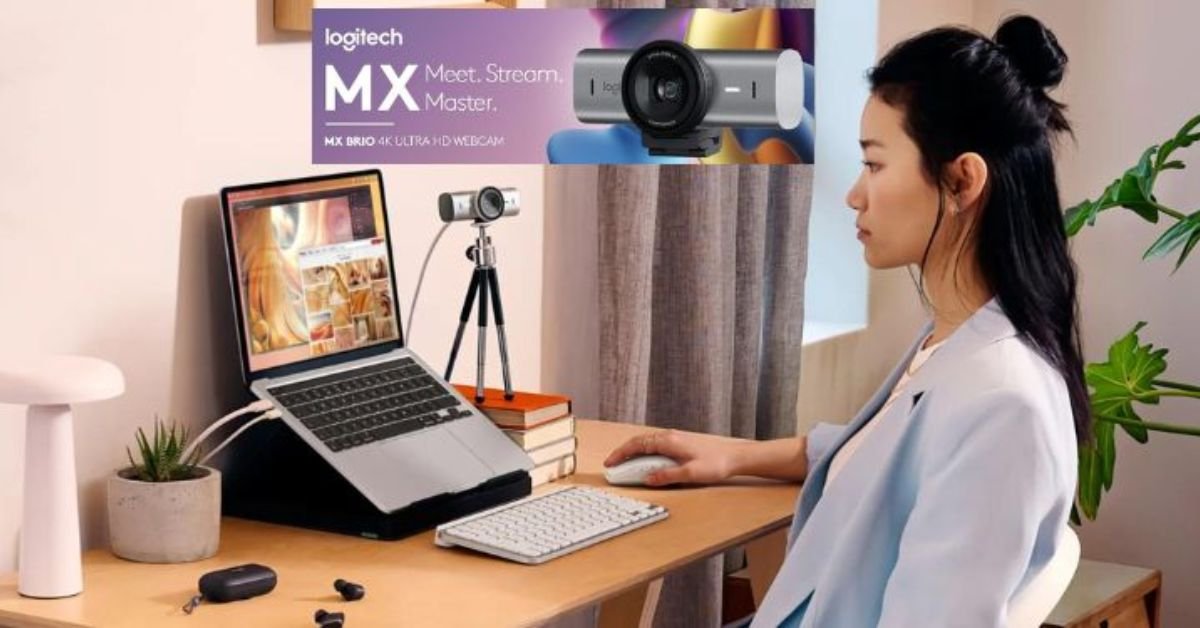
- Sharp video quality for meetings
- Smooth streaming with reliable performance
- Clear microphones for professional communication
- Easy setup across multiple platforms
Remote work, online meetings, live streaming, and digital content creation have completely changed the way people communicate online. Whether someone is attending business meetings, teaching virtual classes, hosting webinars, or streaming gameplay, video quality now plays a major role in creating a professional online presence. A poor webcam can make meetings look unprofessional and reduce audience engagement during streams or content creation.
This is where Logitech webcams continue to stand out. Logitech has built a strong reputation for creating reliable webcams that combine excellent video quality, smooth performance, clear microphones, and simple setup features. From beginners working from home to full-time content creators, Logitech offers webcam solutions for almost every type of user.
Choosing the best Logitech webcam for collaboration and streaming depends on personal needs, budget, and content style. Some users need a webcam for professional business calls, while others want advanced video quality for YouTube, Twitch, or online coaching sessions. Logitech provides both affordable and premium options that perform well in different environments.
This detailed guide explains the best Logitech webcam models for collaboration and streaming, including features, performance, video quality, audio clarity, setup tips, comparisons, and buying recommendations to help users select the ideal webcam setup.
Quick Overview of Logitech Webcams
Choosing the right webcam becomes easier when users compare features side by side. Logitech offers multiple webcam models designed for different needs, from casual meetings to professional streaming environments.
| Webcam Model | Best For | Video Quality | Built-In Microphone | Special Feature |
|---|---|---|---|---|
| Logitech Brio 4K | Professional creators | 4K Ultra HD | Dual microphone | HDR support |
| Logitech StreamCam | Content creators | Full HD 1080p | Dual front microphones | Vertical recording |
| Logitech C920 | Everyday users | Full HD 1080p | Stereo microphone | Budget-friendly |
| Logitech C922 Pro | Streamers and gamers | Full HD 1080p | Stereo microphone | Background replacement |
| Logitech Brio 500 | Business collaboration | Full HD 1080p | Noise reduction mic | Auto framing |
Each Logitech webcam provides different strengths depending on how users plan to use their setup.
Why Logitech Webcams Are So Popular
Logitech webcams remain highly popular because they combine strong performance, reliability, and ease of use. Many cheaper webcams struggle with blurry image quality, weak microphones, unstable frame rates, and poor low-light performance. Logitech focuses on solving these problems through better sensors, optimized software, and durable designs.
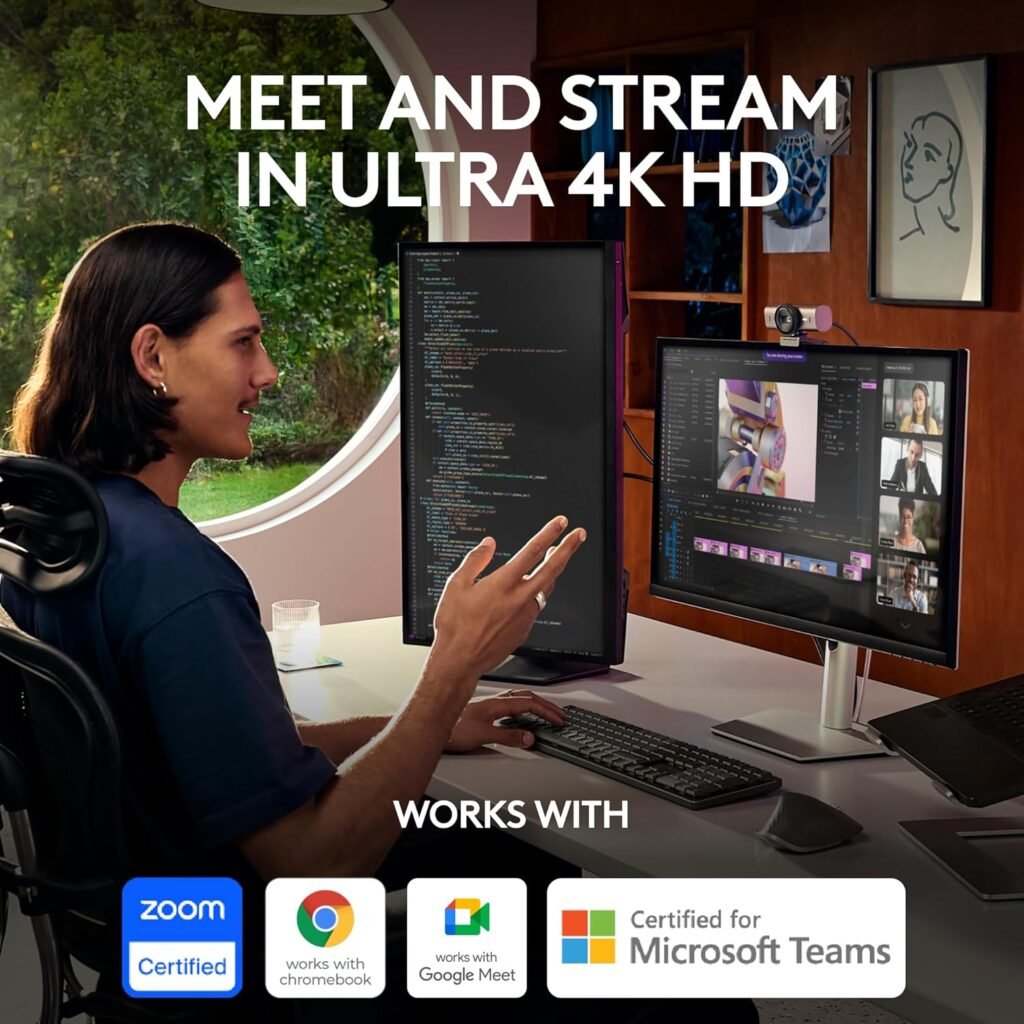
Another major reason behind Logitech’s popularity is compatibility. Most Logitech webcams work smoothly with Zoom, Google Meet, Microsoft Teams, OBS Studio, Twitch, Discord, Skype, and YouTube streaming software without complicated installation steps.
The plug-and-play setup also attracts beginners who do not want technical difficulties while setting up their webcam systems.
Main Reasons People Choose Logitech
- Reliable image quality
- Clear voice recording
- Easy installation process
- Strong software support
- Professional appearance
- Good low-light correction
- Trusted global technology brand
- Multiple webcam choices for different budgets
The balance between performance and convenience makes Logitech webcams a preferred choice for remote work and streaming.
Best Logitech Webcam for Professional Collaboration
Professional collaboration requires sharp visuals, stable video quality, clear communication, and smooth software compatibility. Business meetings, virtual conferences, online interviews, and client presentations all depend heavily on webcam performance.
Logitech Brio 500
The Logitech Brio 500 is one of the strongest options for professional collaboration. It delivers sharp Full HD video quality combined with intelligent framing and advanced light correction features.
The webcam automatically adjusts lighting conditions to help users appear clear even in darker rooms. Auto-framing technology also helps keep users centered during meetings, creating a cleaner and more polished presentation.
Logitech Brio 500 Features
| Feature | Benefit |
|---|---|
| Full HD Resolution | Professional video clarity |
| Auto Framing | Keeps users centered |
| Light Correction | Better visibility in dark rooms |
| Noise Reduction Audio | Cleaner voice quality |
| USB Connectivity | Quick setup process |
The Logitech Brio 500 works especially well for remote employees, consultants, teachers, online coaches, and virtual business owners.
Best Logitech Webcam for Streaming
Streaming requires more than simple video recording. Streamers need smooth frame rates, stable focus, clear lighting balance, and reliable performance during long sessions.
Logitech StreamCam
The Logitech StreamCam is designed specifically for creators and live streamers. It supports smooth Full HD recording while maintaining clear image quality during movement.
One standout feature is vertical video support, which helps creators produce social media content for platforms such as Instagram Reels, TikTok, and YouTube Shorts.
Logitech StreamCam Benefits
- Smooth Full HD video
- Fast autofocus system
- Smart face tracking
- USB-C connectivity
- Vertical recording support
- Optimized creator-focused design
The Logitech StreamCam performs well for gaming streams, online tutorials, reaction videos, podcasts, and live social media broadcasts.
Logitech Brio 4K for Premium Video Quality
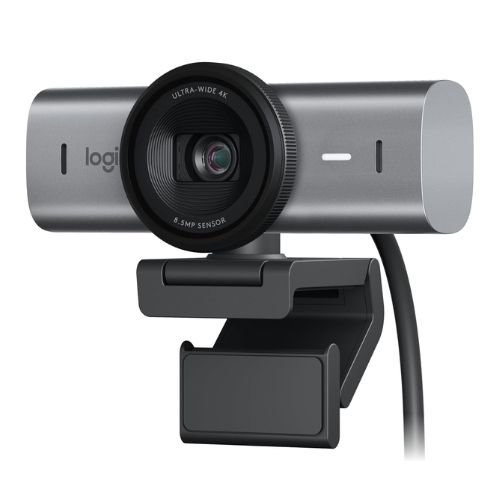
Some creators and professionals require the highest possible image quality. The Logitech Brio 4K targets users who want premium-level video clarity for streaming, video production, and executive meetings.
Why Logitech Brio 4K Stands Out
The Logitech Brio 4K supports Ultra HD recording, producing sharp visuals with strong detail and accurate colors. HDR technology improves lighting balance, helping users appear more natural even under challenging lighting conditions.
The adjustable field of view also allows users to control framing based on their setup.
Logitech Brio 4K Features
| Feature | Advantage |
|---|---|
| 4K Ultra HD Video | Extremely sharp visuals |
| HDR Support | Better color and brightness |
| Dual Microphones | Improved voice clarity |
| Adjustable Viewing Angles | Flexible camera framing |
| Facial Recognition Support | Secure login compatibility |
The Logitech Brio 4K is ideal for professional streamers, executives, online presenters, and high-end content creators.
Logitech C920 for Everyday Collaboration
The Logitech C920 remains one of the most popular webcams globally because it delivers dependable performance at a reasonable price.
Why Logitech C920 Remains Popular
The webcam offers strong Full HD video quality combined with stereo microphones and wide software compatibility. It works well for online meetings, remote learning, casual streaming, and video calls.
Many users continue choosing the Logitech C920 because it balances affordability and quality extremely well.
Logitech C920 Highlights
- Affordable pricing
- Reliable Full HD quality
- Clear microphone performance
- Easy installation
- Strong compatibility
- Stable daily performance
For users who want dependable webcam quality without spending heavily, the Logitech C920 remains one of the best options available.
Important Webcam Features to Consider
Choosing the best Logitech webcam for collaboration and streaming depends on several important features that affect video clarity, communication quality, and overall user experience. A high-quality webcam should provide sharp visuals, smooth performance, and reliable audio during meetings, streaming sessions, and online content creation. Comparing these features carefully helps users select the right webcam according to their personal and professional needs.
Video Resolution
Video resolution plays a major role in overall image quality. Higher resolutions create sharper visuals with better detail and improved clarity during meetings and streaming sessions. Full HD 1080p resolution works perfectly for most users because it provides balanced performance and smooth video quality. Users creating professional content or high-end live streams may prefer 4K webcams for extra sharpness and more professional-looking visuals.
Frame Rate
Frame rate affects how smooth video movement appears during calls and live broadcasts. A webcam with stable frame rates creates more natural motion and reduces lag during streaming sessions. Smooth frame rates become especially important for gamers, creators, and online presenters who move frequently while recording or communicating. Higher frame rates also improve audience viewing experiences during professional broadcasts and live content sessions.
Low-Light Correction
Many users work or stream in rooms with limited lighting, making low-light correction an important webcam feature. Good low-light performance helps maintain clear visibility even in darker environments. Logitech webcams with advanced lighting adjustment technology reduce grainy visuals and improve brightness automatically. This helps users appear more professional and easier to see during business meetings, streaming sessions, and virtual presentations.
Microphone Quality
Built-in microphone quality directly affects communication during online meetings, streaming sessions, and virtual classes. Clear microphones help reduce background noise while improving voice clarity for listeners and viewers. Logitech webcams often include noise-reduction technology that helps capture cleaner audio during conversations. Strong microphone quality becomes especially useful for remote workers, teachers, streamers, and creators who regularly communicate online.
Autofocus Performance
Autofocus technology helps webcams maintain sharp image quality while users move naturally during meetings or recordings. A strong autofocus system quickly adjusts focus to keep faces clear and professional-looking throughout video sessions. This feature becomes very useful for content creators, online presenters, and streamers who move frequently while speaking. Reliable autofocus also improves overall video quality during dynamic streaming and collaboration environments.
Webcam Buying Checklist
- High-resolution video sensor
- Stable frame rate performance
- Clear built-in microphone
- Reliable autofocus system
- Wide software compatibility
- Strong low-light correction
- Easy installation process
Comparing these features carefully helps users avoid buying webcams that fail to meet their needs.
Logitech Webcam Performance for Different Users
Different users require different webcam features depending on how they use video communication daily.
Remote Workers
Remote employees need professional image quality and clear communication for meetings and presentations.
Students
Students benefit from affordable webcams with reliable performance for online classes and assignments.
Streamers
Streamers need smooth visuals, stable frame rates, and strong lighting correction.
Content Creators
Creators often prefer higher video quality and advanced recording flexibility.
Online Teachers and Coaches
Educators require reliable microphones and clear visuals for long virtual sessions.
Logitech Webcam Setup Process
Most Logitech webcams use a simple plug-and-play installation process that works quickly on modern computers.
Basic Webcam Setup Steps
- Connect webcam using USB
- Allow automatic device detection
- Install Logitech software if needed
- Configure video settings
- Test microphone and camera quality
Most users can complete setup within a few minutes.
Logitech Webcam Software Features
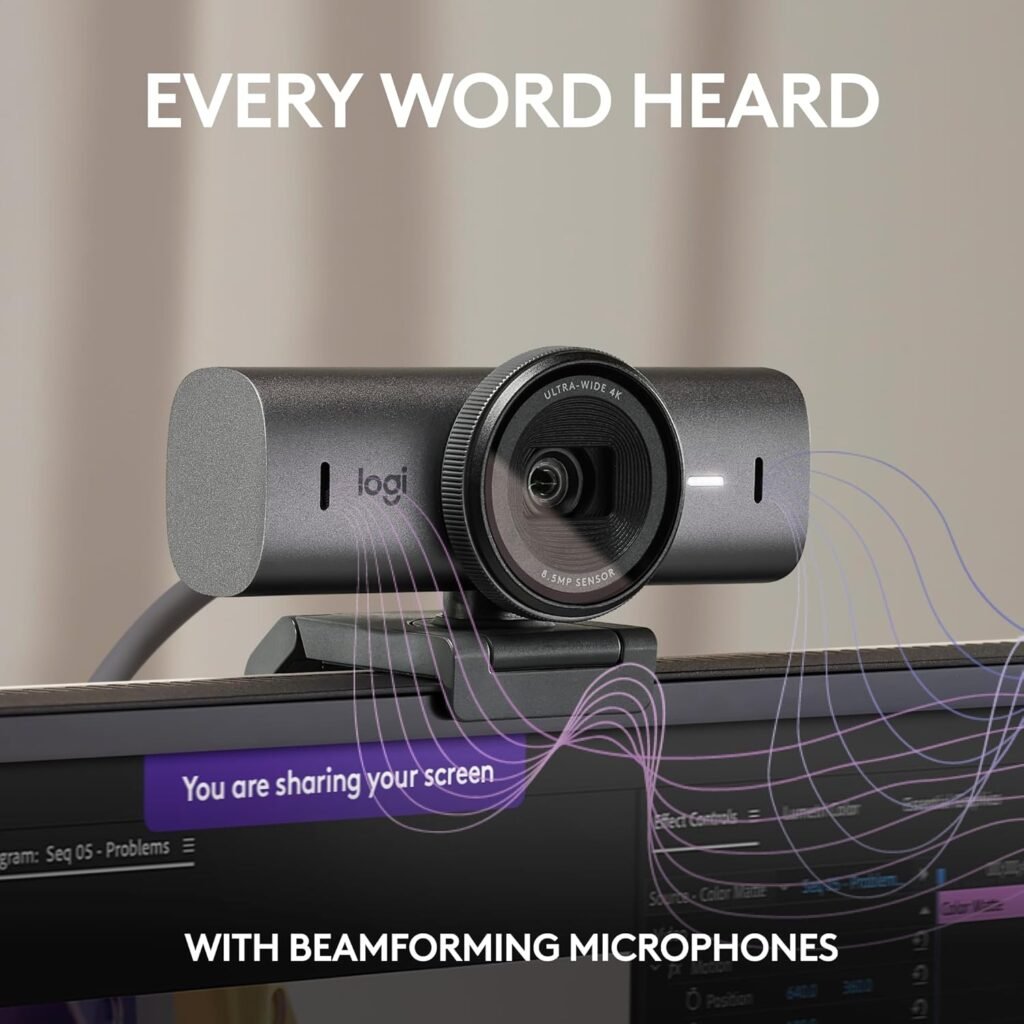
Logitech software helps users customize webcam settings according to their environment and recording style.
Common Software Features
| Feature | Purpose |
|---|---|
| Brightness Adjustment | Improve lighting balance |
| Zoom Controls | Better framing |
| Autofocus Settings | Sharper image quality |
| Background Customization | Cleaner visual appearance |
| Viewing Angle Control | Flexible positioning |
These software tools help improve both professional meetings and streaming quality.
Logitech Webcam Performance in Low-Light Rooms
Poor lighting remains one of the biggest challenges during online meetings and streaming.
Logitech Brio Low-Light Performance
The Logitech Brio series performs very well in darker environments because of advanced HDR technology and intelligent light correction systems.
Users who work during nighttime hours or stream in dim rooms often notice a major improvement in visibility compared to standard webcams.
Benefits of Good Low-Light Correction
- Brighter image quality
- Reduced video grain
- Better skin tone balance
- Cleaner professional appearance
- Improved streaming visuals
Good low-light performance helps users appear more polished during calls and streams.
Logitech Webcam Audio Quality
Video quality matters greatly, but poor audio can ruin meetings and streaming sessions quickly.
Built-In Microphone Performance
Most Logitech webcams include built-in microphones designed to reduce unwanted background noise while capturing voices clearly.
This improves communication during business calls, online teaching sessions, and live broadcasts.
Audio Advantages
- Clear voice recording
- Reduced background noise
- Better communication quality
- Improved streaming audio
- Cleaner virtual presentations
Users who require advanced audio quality can still pair Logitech webcams with dedicated microphones for professional setups.
Logitech Webcam vs Generic Budget Webcams
| Feature | Logitech Webcam | Cheap Generic Webcam |
|---|---|---|
| Video Quality | Sharp and balanced | Often blurry |
| Audio Quality | Clear microphones | Weak sound |
| Software Support | Strong customization | Limited features |
| Reliability | Stable performance | Inconsistent results |
| Streaming Capability | Excellent | Basic performance |
| Build Quality | Durable materials | Lightweight plastic |
The performance difference becomes very noticeable during professional meetings and live content creation.
Real-Life Streaming Example
Imagine a streamer using a low-quality webcam during a live gaming session. Poor lighting and blurry visuals may reduce audience interest quickly.
Switching to a Logitech webcam improves image clarity, lighting balance, and overall stream professionalism. Viewers can see facial reactions clearly, making content more engaging and visually appealing.
This improved quality often helps creators build stronger audience trust and longer viewer retention.
Logitech Webcam Buying Tips
Choosing the best Logitech webcam for collaboration and streaming depends heavily on personal goals and usage style.
Important Buying Questions
- What is your budget?
- Do you need 4K recording?
- Will you stream regularly?
- Is low-light performance important?
- Do you need advanced software features?
- Will you use the webcam for business meetings?
- Do you need vertical video support?
Answering these questions helps users select the right webcam more confidently.
Pros and Cons of Logitech Webcams
Pros
- Excellent video quality
- Easy setup process
- Strong software compatibility
- Reliable microphone performance
- Professional appearance
- Multiple pricing options
- Strong streaming support
Cons
- Premium models can be expensive
- Some advanced features require software installation
- 4K streaming requires stronger internet speed
Despite minor drawbacks, Logitech webcams continue delivering excellent value for most users.
Best Logitech Webcam Recommendations by User Type
| User Type | Recommended Webcam |
|---|---|
| Remote Worker | Logitech Brio 500 |
| Casual User | Logitech C920 |
| Professional Streamer | Logitech Brio 4K |
| Content Creator | Logitech StreamCam |
| Online Teacher | Logitech C922 Pro |
This comparison helps simplify webcam selection based on daily usage needs.
Maintenance Tips for Logitech Webcams
Proper maintenance helps preserve image quality and improve long-term webcam performance.
Webcam Maintenance Checklist
- Clean the lens regularly
- Avoid dust buildup
- Store safely during travel
- Keep USB ports clean
- Update webcam software frequently
Simple maintenance habits can help webcams perform reliably for many years.
Future of Logitech Webcam Technology
Video communication technology continues improving rapidly. Logitech keeps introducing new features focused on better collaboration and streaming performance.
Future Logitech webcams may include smarter AI tracking, stronger background separation, improved voice isolation, and more advanced low-light optimization.
As online work and content creation continue growing globally, webcam quality will remain increasingly important for communication and digital branding.
Final Thoughts:
The best Logitech webcam for collaboration and streaming depends on individual goals, content style, and budget. Logitech offers excellent webcam solutions for professionals, streamers, students, online educators, remote workers, and digital creators who want reliable performance and strong image quality.
The Logitech Brio 4K stands out for premium streaming and professional content creation because of its ultra-sharp visuals and HDR support. The Logitech StreamCam remains an excellent option for creators focused on live streaming and social media content, while the Logitech C920 continues providing dependable performance for everyday users.
For business collaboration and remote work, webcams such as the Logitech Brio 500 deliver professional visuals, automatic framing, and better communication quality during meetings and presentations.
A high-quality webcam improves more than video clarity. It improves professionalism, communication confidence, audience engagement, and overall online presence. Whether users attend virtual meetings, create online content, teach classes, or stream games, Logitech webcams continue offering reliable solutions for modern digital communication.
Must Read: Logitech G Astro A50 Multi-Platform Wireless Gaming Headset
FAQs:
Which Logitech webcam is best for streaming?
The Logitech Brio 4K and Logitech StreamCam are among the best options for streaming because of their excellent image quality and creator-focused features.
Is Logitech C920 still worth buying?
Yes, the Logitech C920 remains a reliable and affordable webcam for meetings, online classes, and casual streaming.
Do Logitech webcams support Zoom and Microsoft Teams?
Yes, Logitech webcams work smoothly with Zoom, Microsoft Teams, Google Meet, Skype, Discord, and OBS Studio.
Is a 4K webcam necessary for streaming?
Not always. Full HD 1080p works well for most users, but 4K provides sharper visuals for professional creators.
Are Logitech webcams easy to install?
Yes, most Logitech webcams support plug-and-play USB connectivity for quick setup.
Which Logitech webcam is best for remote work?
The Logitech Brio 500 is one of the best options for remote work because of its professional image quality and smart collaboration features.
- Sharp video quality for meetings
- Smooth streaming with reliable performance
- Clear microphones for professional communication
- Easy setup across multiple platforms